
Daily Mail: Breaking News
Daily Mail OnlineNews & Magazines
3.96.69K Reviews
- Version
- 8.1.0
- Installs
- 5.00M
- Age Rating
- Everyone 10+
Screenshots

Our Review of Daily Mail: Breaking News
 Analysis by Appyee
I reach for a news app when I have a few spare minutes and want to know what people are talking about without opening several sites. The Daily Mail: Breaking News app is built around that quick-check habit: headlines, photos and stories across news, entertainment and sport sit together in one place. My impression is that it works best as a lively general-news feed, not as a quiet, tightly curated briefing.
Quick checks are where it makes sense
The app is free to download, and its broad mix makes it easy to browse without deciding in advance which section to visit. That is useful when I want a quick scan over breakfast or while waiting for an appointment. The trade-off is that a busy feed can invite more scrolling than I intended; I would open it with a question in mind, rather than expecting every visit to stay brief.
For a practical routine, I’d check the main feed once, open only the stories that matter to me, then leave. If I’m following a developing story, I’d use search to find related coverage rather than repeatedly refreshing and hoping the same topic appears near the top. That small change makes the app feel more like a tool and less like an endless queue.
What kind of news reader will enjoy it?
The mix is the main draw for readers who like headlines alongside celebrity coverage, sports and photographs. It can suit someone who wants a familiar, broad sweep of popular stories in one app, especially if they enjoy browsing as much as reading. Daily Mail Online develops it, and the app has reached over five million installs, so it is clearly aimed at a large general audience rather than a specialist readership.
I would be more cautious about recommending it to someone who wants a low-distraction, topic-only reader or a carefully balanced overview of public affairs. A focused news source may be a better fit if you mainly follow one subject, want less entertainment coverage, or prefer to compare reporting across several outlets. This app’s breadth is convenient, but it does not replace that kind of deliberate source-checking.
Using it in an ordinary day
Imagine I have a short break on the train and want to catch up before getting off. I can scan the headlines, open a story that catches my attention, and use search later if I want to locate it again. When I know I’ll be without a connection, the original article’s offline-reading option offers a sensible workaround: save useful reading while connected, then open it during the journey. I’d do that before leaving rather than count on being able to load a story at the last moment.
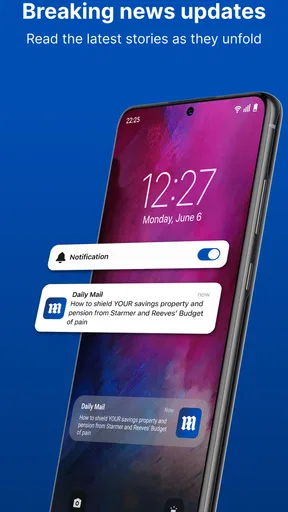
Notifications need a little thought, too. I’d start with only the alerts I genuinely want, such as breaking developments, and adjust them if the phone starts interrupting too often. That is a better balance than either turning on every alert or dismissing them all before seeing whether a narrower selection is useful.
First Impressions: What's the Buzz?
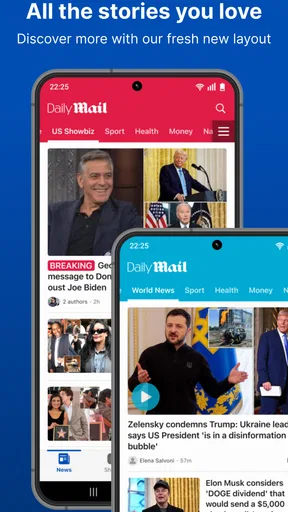
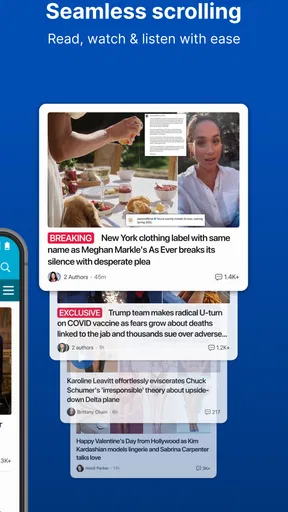
When I first opened the Daily Mail: Breaking News app, I was greeted by a clean, intuitive interface. It’s like they knew exactly what I wanted—a seamless way to catch up on all the latest happenings without any fuss. The homepage is packed with headlines that are updated in real-time, keeping you in the loop with the latest stories from around the globe.
One thing that caught my eye immediately was the variety of topics covered. From politics to entertainment, and even a little bit of sports, there’s something for everyone. You can easily scroll through the different categories and find something that piques your interest. It’s like having a newspaper in your pocket, but without the hassle of flipping through endless pages.
Features That Stand Out
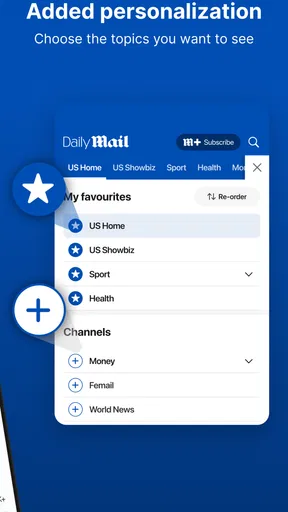
Let’s talk about the features. The app offers a personalized news feed, which is super handy if you’re like me and have specific topics you’re into. The algorithm learns your preferences over time and suggests articles accordingly. I found this feature to be a real time-saver; it’s like having a personal news assistant.
Another cool feature is the offline reading mode. How many times have you found yourself in a spot with no Wi-Fi, desperately wishing you’d saved that article? Well, with this app, you can download articles to read offline. It’s perfect for those long commutes or flights.
And let’s not forget the push notifications. While they can be a bit much if you’re not careful, they’re customizable. You can choose to get alerts for breaking news only or for specific categories. It’s a neat way to stay informed without feeling overwhelmed.
The User Experience: Easy Peasy or Not So Much?
Now, onto the user experience. Navigating the app is pretty straightforward. The menu is clearly laid out, making it easy to switch between different sections. I also appreciated the search function, which is surprisingly robust. Need to find an article you read last week? Just type in a keyword, and there it is.
However, no app is perfect. Occasionally, the app does lag a bit, especially when loading image-heavy articles. It’s not a deal-breaker, but it’s something to be aware of if you’re in a hurry.
Another small gripe is the ads. While they’re not too intrusive, they are there, and you’ll notice them. A premium, ad-free version would be a nice touch for those willing to pay for an uninterrupted experience.
Performance, cost and fit
In the news and magazines category, alternatives often lean toward a newspaper’s own reporting, a customizable feed that pulls from multiple publishers, or a concise briefing designed for a fast daily catch-up. This app sits more naturally in the browse-and-discover camp: its mix of news, gossip, sports and photos is part of the appeal. If I want one publisher’s coverage and a visually busy stream, I would consider it; if I need a cross-source comparison, I’d open several outlets instead.
The app has an average rating of 3.9 from around 128,000 ratings, with roughly 6,700 written reviews. I’d treat that as a broad signal of mixed-to-positive reception, not a promise that every device or reading habit will feel the same. The practical question is whether its style and topic mix suit you, since a general audience app can be useful to one reader and noisy to another.
It is free, though in-app purchases are listed from $2.99 to $10.99 per item. I would check what an optional purchase covers before paying, particularly if my main concern is advertising or access to a particular experience; I wouldn’t assume that paying automatically changes every part of the app. The content rating is Everyone 10+, which is worth keeping in mind for families deciding whether it is suitable for a younger reader.
Version 6.11.0 is the current release, and the app requires OS 10 or later. Those details matter most if you’re setting it up on an older phone or tablet: check the operating system first, then consider whether a browser or another news app is a more practical fallback. I can’t infer speed or battery use from a version number alone, so I’d judge those on the device I plan to use.
Speed expectations and heavier sessions
For a quick headline scan, the simple section-based layout gives me a clear route into the content. A story with lots of photographs is a different kind of session: images can take longer to appear, and the original review noted occasional lag on image-heavy articles. If I’m on a weak connection or in a hurry, I’d stick to headlines or save reading for later instead of expecting every photo-rich page to open instantly.
Longer browsing also changes the experience. Moving between a stream, a full article, search and another section means more loading than a brief check, so I’d avoid treating it as a live dashboard that must be refreshed constantly. The sensible approach is to search when I have a specific subject in mind, and to use offline reading for articles I already know I want to finish away from Wi-Fi.
Reliability and sensible recovery
News feeds are most useful when they make it easy to return to a story, and the search function helps with that after an article has slipped out of view. I’d search using a distinctive subject or name rather than a vague term, which should narrow the hunt. For a developing story, I would still compare coverage and check the publication time on the article itself; a feed is convenient, but it is not a substitute for context or verification.
If an image-heavy page seems slow, my first move would be to give it a moment or return to the headline list and try again when the connection is better. Offline reading is the more reliable plan for known reading, provided I save articles while connected. I wouldn’t rely on it to solve every loading issue or to provide fresh updates without a connection; it is a way to revisit saved material, not a replacement for live access.
Device fit and performance verdict
On a supported device, I’d expect the app to be most comfortable for occasional browsing and short reading sessions. Older hardware, limited storage or a patchy connection can make photo-heavy pages less pleasant, so a text-focused source or a browser may be a better choice when keeping things light matters more than the app’s mix of sections. I’d also keep notifications selective to avoid turning a casual news check into a series of interruptions.
For me, its performance is best judged by the task: it is handy for a quick sweep and convenient when I save articles ahead of a commute, but less appealing when I need uninterrupted, fast loading through a long run of image-rich stories. The occasional lag and visible ads are real friction, not reasons to dismiss it outright. I’d try the free app first, tune alerts to my routine, and decide from actual use whether the content mix earns a place on my phone.
Final Thoughts: Is It Worth the Download?
So, should you download the Daily Mail: Breaking News app? If you’re someone who likes to stay updated with the latest news without spending hours on it, then absolutely. The app offers a well-rounded experience with its variety of features and topics.
Sure, there are a few kinks to iron out, like the occasional lag and ads, but overall, it’s a solid app that delivers what it promises. Plus, the offline reading mode and personalized news feed are definitely worth checking out.
In the end, it’s a handy tool for anyone who wants quick access to breaking news. So why not give it a try? You might find it just as useful as I did.
Verdict
Strengths of Daily Mail: Breaking News
- User-friendly interface for easy navigation.
- Real-time updates keep you informed instantly.
- Wide range of categories for diverse interests.
- Customizable notifications for tailored alerts.
- Offline reading mode for convenience.
Limitations of Daily Mail: Breaking News
- Contains ads that can be intrusive.
- Limited in-depth analysis in some articles.
- Occasional push notifications can be overwhelming.
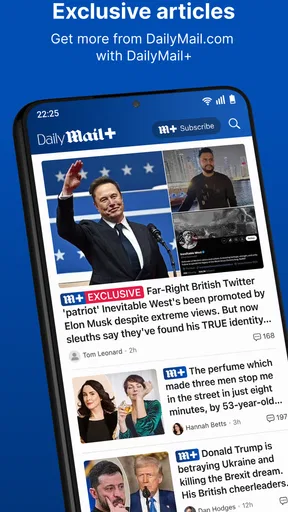
- Some content may require premium access.
- Battery consumption can be higher than expected.
Similar Picks in This Category
View All
Google News - Daily Headlines
Google LLC4.0

X
X Corp.4.8

Flipboard:Your Social Magazine
Flipboard3.4

Opera News: breaking & local
Opera4.5

Hindi News by Dainik Bhaskar
Dainik Bhaskar Group4.0

Way2News Daily News App
Way2News ( Formerly Way2SMS )4.6
Frequently Asked Questions
What features does the Daily Mail app offer?
The Daily Mail app provides users with the latest breaking news, trending stories, and exclusive content directly on their mobile devices. Users can personalize their news feed, receive push notifications for major updates, and access a rich array of articles, photos, and videos. The app also includes sections for sports, entertainment, and lifestyle.
Is the Daily Mail app free to use?
Yes, the Daily Mail app is free to download and use. While the app offers a wealth of content at no cost, it may include ads as part of the user experience. Some exclusive features or content may require a subscription or in-app purchase. However, the core news and updates are accessible without any fees.
How frequently is content updated on the Daily Mail app?
Content on the Daily Mail app is updated continuously throughout the day to ensure users have access to the latest news and stories. Push notifications are sent out for major breaking news, allowing users to stay informed about significant events as they happen. The app ensures a dynamic and timely news experience.
Can users customize their news feed on the Daily Mail app?
Yes, users can personalize their news feed on the Daily Mail app. The app allows users to select their preferred sections and topics, tailoring the content to match their interests. This customization feature ensures that users receive news and stories that are most relevant to them, enhancing the overall user experience.
What devices are compatible with the Daily Mail app?
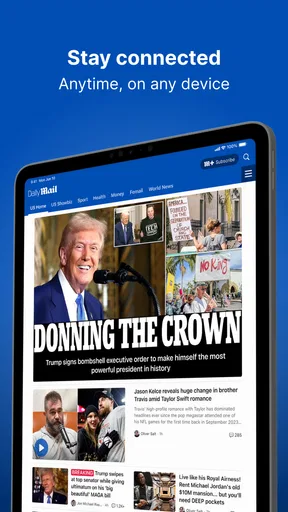
The Daily Mail app is compatible with both Android and iOS devices, making it accessible to a wide range of users. It supports smartphones and tablets, ensuring seamless functionality across different platforms. Users can download the app from the Google Play Store or the Apple App Store, depending on their device.
